What's the Difference Between Public and Private Characters?
The main difference is visibility.
Public Characters
These characters are visible in the main character list for everyone. Any user can view their profile and start a chat with them.
Private Characters
These are only visible to you, the creator. They won't appear in search results or in the character list for other users.
How to Switch Between Public and Private
Want to change your character's visibility? It's simple:
Go to your character's profile page
You can access it from your profile or by clicking the character's image in a chat.
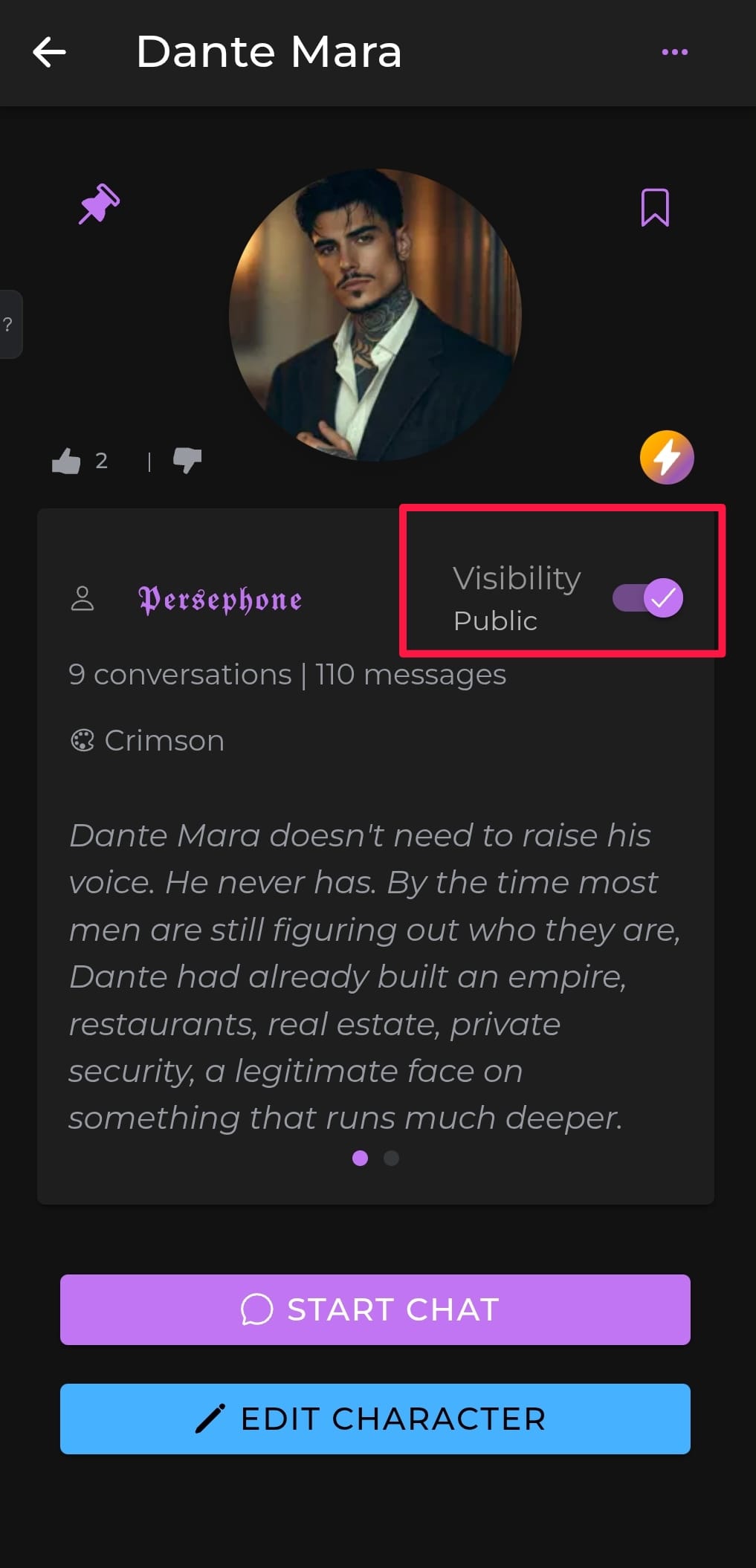
Find the visibility toggle
At the top of the profile, you'll see a toggle labeled Public / Private.
Next to the toggle, you'll also see a text label confirming the character's current status.
Tap the toggle to switch
Clicking it will instantly change your character's visibility setting.
That's it—no need to re-save or publish again.
Note
Private characters cannot be viewed or chatted with by other users. Only you—the creator—can see or interact with them.