How to Delete Your Account
If you'd like to delete your AICHIKI account, you can do so from the Settings page.
How to Find Settings
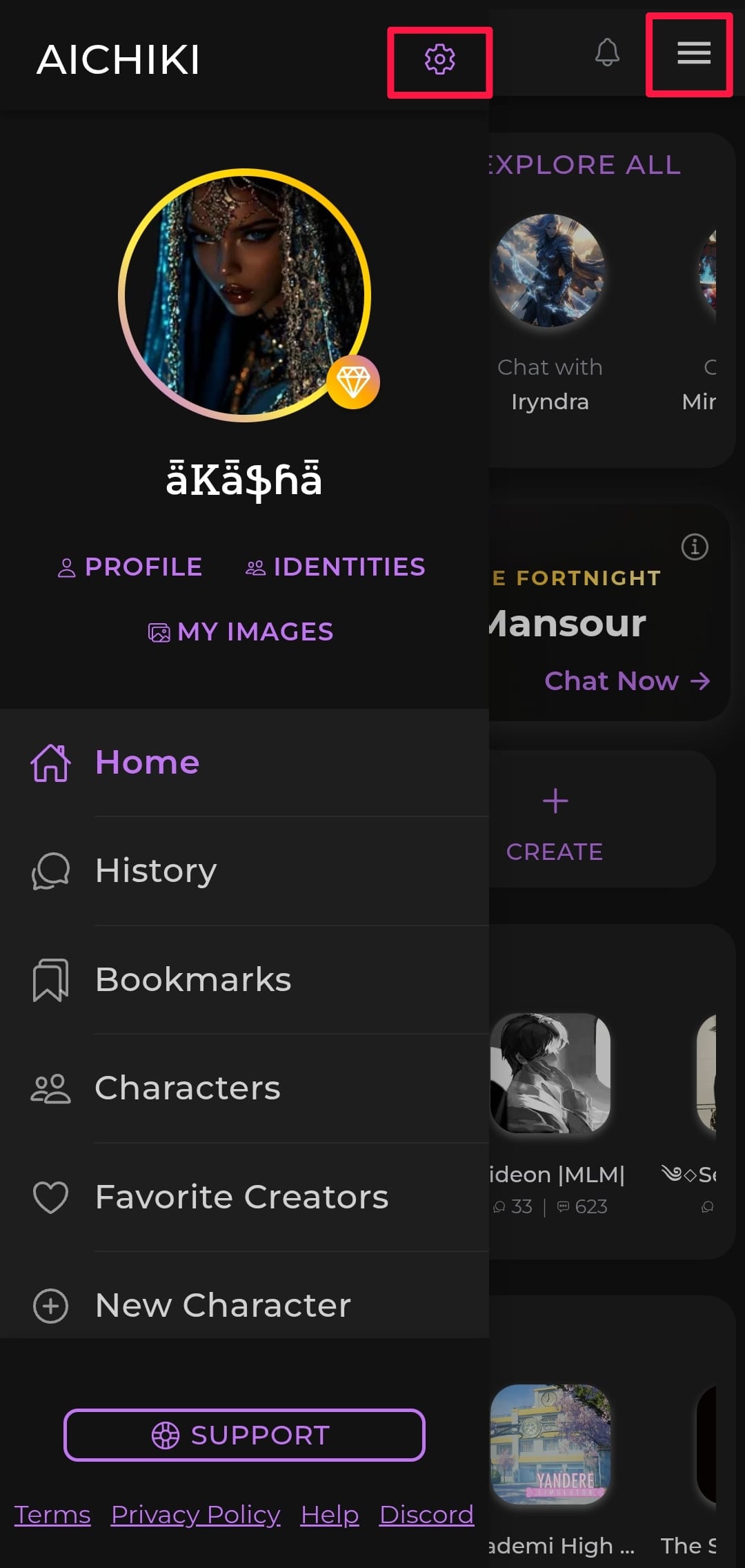
On Mobile:
Open the sidebar by sliding your finger from the left edge of the screen toward the middle, or tap the three lines in the top-right corner. Then tap Settings.
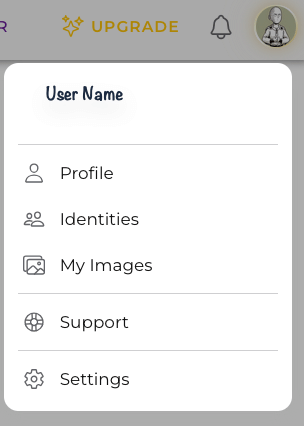
On Desktop:
Click your profile picture in the top-right corner of the page, then click Settings.
How to Delete Your Account
Open Settings
Scroll to the bottom of the page
Tap Delete Account
Confirm your decision when prompted
Once confirmed, your account and all associated data, including your characters, chats, generated images, and chat history, will be permanently deleted within seven days.
WARNING
This Cannot Be Undone Account deletion is permanent. There is no way to recover your account or any of your data after deletion. Please make sure this is what you want before confirming.