Notifications
Aichiki can notify you when something happens while you're away, most usefully when a character finishes replying to you. This page explains the reply notification, where to find your notification settings, and what each option does.
Reply notifications are in beta
The "character replied" notification is a new beta feature. It works well most of the time, but it may not always fire, and a missed notification doesn't mean anything went wrong with your chat. Your reply is always waiting for you when you reopen the app.
What is a reply notification?
When you send a message and then leave the app or lock your screen while the character is still writing, Aichiki can send you a notification once the reply is ready. You'll see it on your lock screen and in your notification shade.
The notification shows the character's name with a short note:
💬 [Character] replied Tap to continue your conversation
Tap it to jump straight back into that conversation and pick up where you left off.
TIP
You don't need to sit and wait for a reply. Send your message, go do something else, and let the notification bring you back when the character is done.
Where are my notification settings?
Your notification settings live in the Settings page.
- On the home screen, tap the menu (☰) in the top-right corner to open the sidebar.
- Tap the gear icon at the top of the sidebar to open Settings.
- Scroll down to the Notification Preferences section near the bottom of the page.
What can I turn on and off?
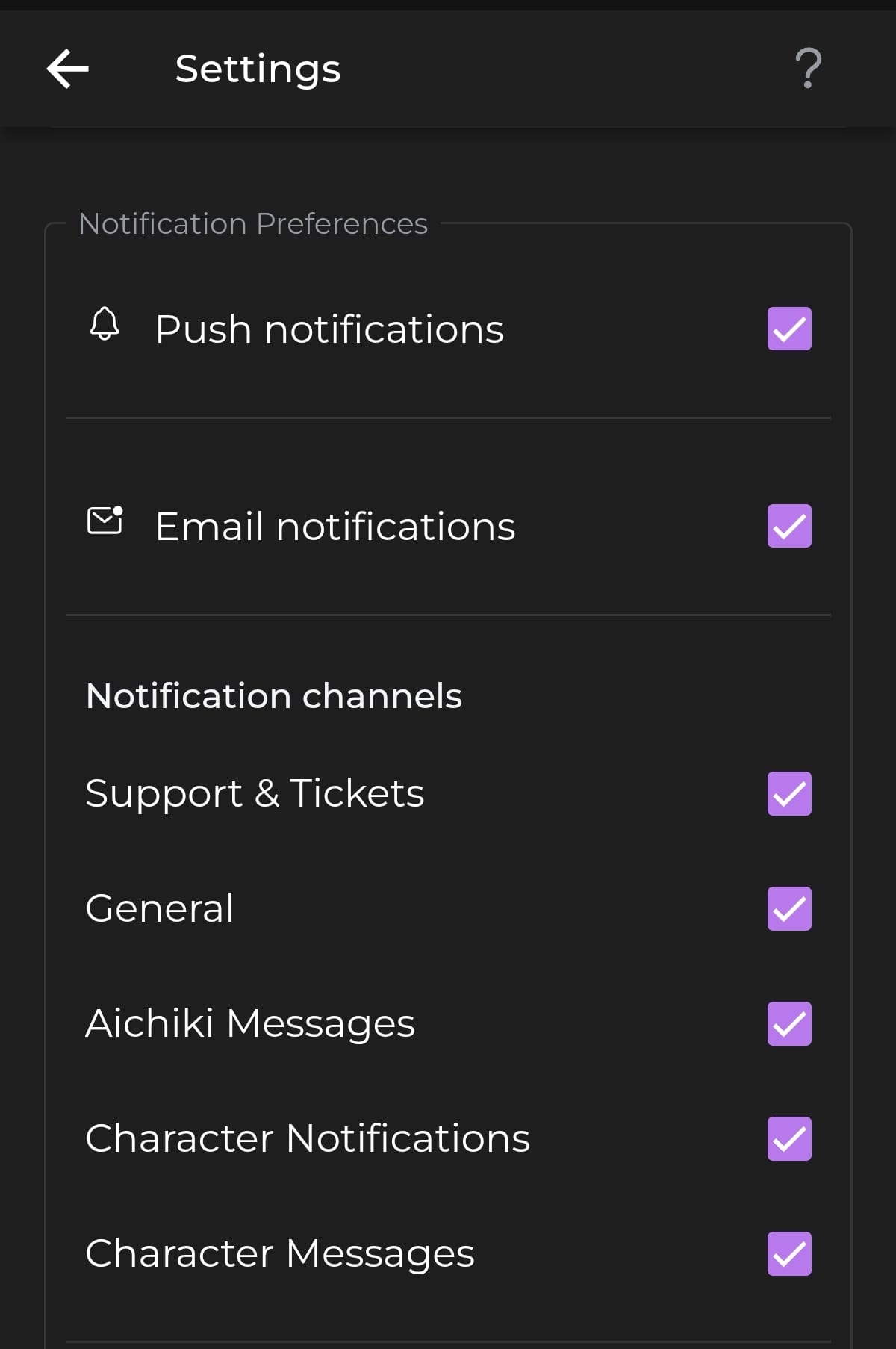
At the top of Notification Preferences there are two main switches:
- Push notifications — the master switch for notifications sent to your device. Turn this off and you won't receive any push notifications from Aichiki, including reply notifications.
- Email notifications — turn this on to also receive certain notifications by email.
Below those, under Notification channels, you can choose which kinds of notifications you want. Each one can be turned on or off on its own:
- Support & Tickets — updates and replies on any support tickets you've opened.
- General — system announcements, such as a change to your Account Standing or other important platform updates. (See the Account Standing page for more on standing.)
- Aichiki Messages — official messages from the Aichiki team.
- Character Notifications — alerts about a character. For now, this lets you know if one of your characters has been flagged.
- Character Messages — the reply notification described above, when a character finishes replying while you're away.
TIP
If you only want to be pinged when a character replies, keep Push notifications and Character Messages on, and turn the channels you don't care about off.
Why am I not getting notifications?
A few things to check if reply notifications aren't reaching you:
- Push notifications is turned on in Notification Preferences.
- Character Messages is turned on under Notification channels.
- Aichiki notifications are allowed in your phone's system settings (use Manage in System Settings to check).
- Remember that reply notifications are in beta and may occasionally not fire. Your reply will still be waiting in the chat.
Still Need Help?
If your notifications still aren't working the way you expect, contact our support team and we'll help you sort it out.